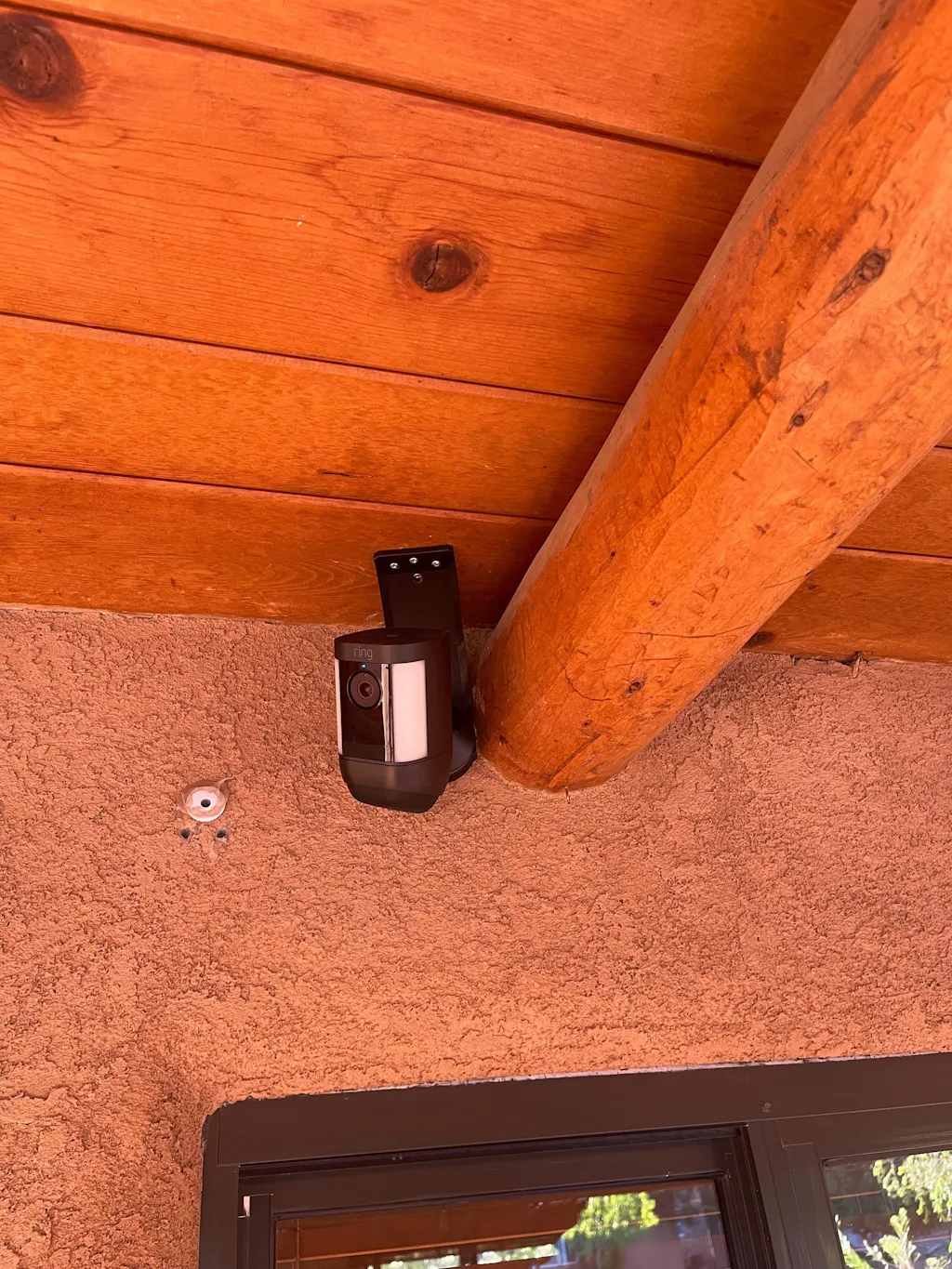
This item is 3D-printed in durable PCTG via FDM. Do not install in locations where surface temperatures may exceed 55°C (131°F). Because this product is 3D-printed, it may show subtle layer lines or small surface imperfections. These cosmetic variations are normal and do not affect function or performance.
It is not ETL or UL-listed and should not be used in applications where certified components are required by code. For those situations, we recommend using common off-the-shelf (COTS) parts. Our responsibility is limited exclusively to the replacement of any defective product. We are not liable for incidental, consequential, or indirect damages arising from use or misuse of this item.
Ring Spotlight Cam Plus Soffit & Ceiling Mount - Original 90° Design
Regular price
$16.95
Couldn't load pickup availability
Mount a Ring Spotlight Cam Plus Beneath a Soffit or Ceiling
This established RI90 bracket turns a horizontal mounting surface into a vertical camera-plate interface for a Ring Spotlight Cam Plus. Use it beneath soffits, eaves, ceilings, or sturdy shelves when the camera needs to hang below the surface.
🌟 What This Mount Does
- 90° orientation: Positions the camera's factory mounting plate vertically beneath a horizontal surface.
- Adjustable mounting direction: A center hole and three outer positions let you align the bracket with a stud or rotate it approximately 45° before securing it.
- Original RI90 design: This established version remains available alongside the newer RI-series mounts.
📹 Confirmed Compatibility
- Ring Spotlight Cam Plus
Other Ring Spotlight Cam generations are not confirmed for this product.
📦 In The Box
- 1 original RI90 Spotlight Cam Plus soffit/ceiling mount in the selected color
- 3 × #8 × 1-1/2-inch self-tapping mounting screws
Camera, factory camera mounting plate, anchors, and camera hardware are not included.
🛠️ Installation
- Locate a stable mounting surface. Positioning near or into structural framing provides a more stable installation.
- Install one included screw through the center hole.
- Rotate the bracket to the desired direction, then secure it through an outer mounting position. Two properly installed surface screws retain the bracket.
- Attach the Ring factory mounting plate to the round camera interface using the camera's hardware.
- Install and aim the camera according to Ring's instructions.
⚠️ Fit & Fastener Notes
- Choose anchors or alternate fasteners appropriate for the mounting surface when the supplied screws are unsuitable.
- Confirm the factory mounting plate matches the listing images before installation.
- No camera weight or load rating is provided.